PasaLoad in Globe 2026 – Share Balance, Promos & MBs

Globe officially ended the Pasalod Globe service, so you can no longer directly transfer load to another number using the old methods (text or *143#). Instead, you now buy new loads or promos for someone using the GlobeOne app, GCash, or AutoloadMax.
How To Pasaload Globe?
As you know that the old ways of transferring load in the Globe have been discontinued. Now you can not directly passload Globe using your remaining credits. However, here are working methods to send the load in the Globe to Globe or TM.
Using Globe One App
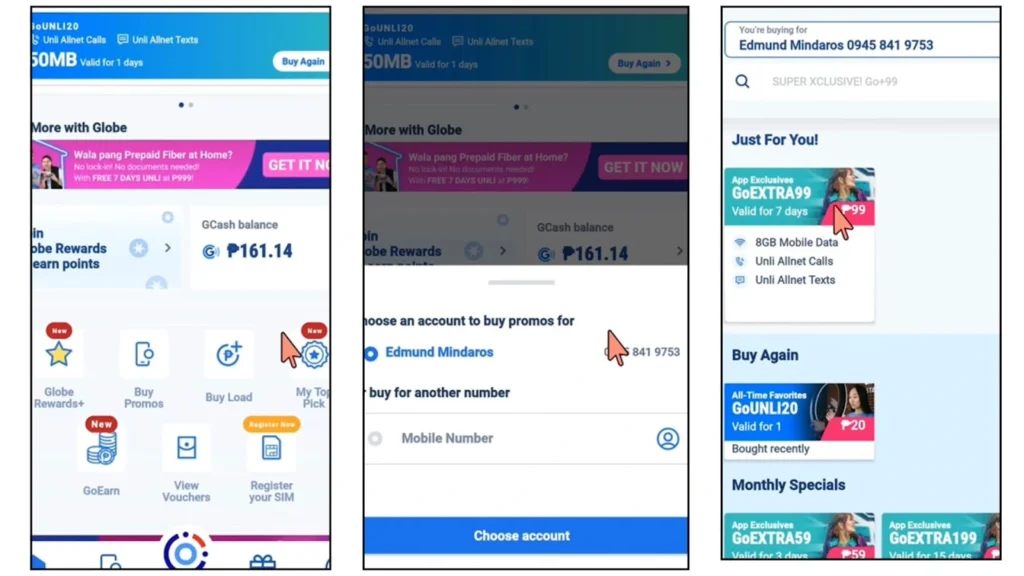
The Globe passload option is no longer available in the Globe app. However, here is how you can transfer load from Globe to Globe online using the GlobeOne app. Make sure to register Globe SIM before using the GlobeOne app.
- Open the Globe SIM app and log in to your account.
- Tap “Shop” and then “Buy Load” to start the process.
- Enter the recipient’s 10-digit mobile number correctly to avoid errors.
- Select the load amount or promo you want to send.
- Confirm the payment with your preferred method, and the load will be sent instantly.
Using Online Apps (GCash)
You can also use the online apps such as GCash to transfer load, Promos, and MBs in Globe. Here is the step-by-step, detailed tutorial about it:
- Open the GCash and log in to your account.
- Tap “Load” from the main menu to access the loading options.
- Enter the recipient’s Globe number carefully to ensure the load goes to the right user.
- Choose the load amount or promo carefully from the available options.
- Confirm and pay using your GCash balance or linked payment method.
- Wait for the confirmation message, and the load will be sent instantly.
Through Globe Outlet
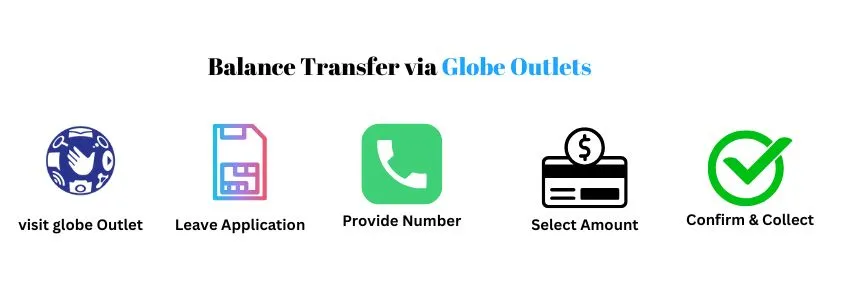
If you are not comfortable with online options for Pasaload in Globe, you can still load someone’s number in person with the help of a staff member at a Globe outlet or authorized store. Here is how you can do it:
- Go to a nearby Globe store or authorized loading outlet.
- Tell the staff you want to buy a load (or a promo) for another Globe prepaid number.
- Provide the recipient’s mobile number to the staff exactly as written.
- Specify the load amount or promo you want them to buy (e.g., ₱50 load, data promo).
- Choose how you’ll pay: cash, card, or another accepted method at that outlet.
- Staff processes the transaction; confirm the number and amount on the receipt screen before they finalize.
- Collect the official receipt or SMS confirmation and check that the recipient got the load (you can ask staff to wait for the SMS).
- If anything’s wrong, ask the staff to reverse or correct the transaction immediately and keep the receipt as proof.
You can use any of the above methods according to your preference and ease. However, using the GlobeOne app and the Globe outlet is the best option.
Tips For Successful Balance Transfer
Here are some practical tips that you must follow for a successful Balance transfer in Globe:
- Double-check the recipient’s number before sending the load to avoid mistakes.
- Use official apps or outlets like GlobeOne, GCash, or authorized stores for safety.
- Choose the right load or promo to match what the recipient needs.
- Confirm payment and wait for the confirmation before leaving the store or closing the app.
- Keep the receipt or screenshot as proof in case of any issue.
- Avoid sharing sensitive info like your account PIN or password.
- Ask staff for help if doing it in person to ensure everything is done correctly.
FAQs
Conclusion
Globe officially ended the Pasaload or Share-A-Load service. It means that the direct transfer of load is no longer possible. You can not transfer your available load to another Globe number. Now, you can send loads or promos to another Globe or TM number using the GlobeOne app, GCash, AutoloadMax, or Globe outlets. Always double-check the recipient’s number, confirm payment, and keep receipts to ensure a smooth and successful load transfer every time.